Monday, August 25, 2014

2-D PLATFORMER GAME DESIGN AND LAYOUT


For game design, we are going to create a 2-D Platformer Game. For this, we have to create a map, which is to be used as reference for the level design, as well as, if we like, the aesthetics of the game. For my game, I would like Jumping Jim (The Main Character of our Platformer Series) to be inside a cave. While I will add other assets to spruce up the cave, This is the basic design of the cave. 

Jim is on vacation during the summer, taking a tunneling tour , when his digger gets trapped in an underground Ruin! But, It just so happens that there's treasure here! Treasure that can be used for more Third Floor Lab Equipment! It's now Jim's job to gather the treasure, so that his students can get more equipment! Unfortunately for Jim, the Ruin is now populated by awful, terrible monsters that will protect their treasure at any cost! 

The Twist? Jim isn't going to spend the money on Lab Equipment!! (Who can blame him? he's on vacation.)

Architecture & Artistic Reference 


(Will continue to add pictures once servers stop acting up) 


(Click For Larger Version)


Thursday, August 21, 2014

Level Analysis: FOR SHOVERLY!! Shovel Knight Tutorial Level Analysis


Shovel Knight is a game that came out in 2014, which was funded through kickstarer, and celebrates the bygone days of 8bit platformers, by being a rather nifty, and somewhat difficult platformer in it's own right. 

Much of it's aesthetics and design is inspired by the 8bit platformers from the 80s and 90s- including it's game design! With little to no instruction of what to do- you are given a simple, contextual backstory as to what happened to shovel knight before being thrown into the fray! Brought into the world of Shovel Knight!

You begin the game in an over-world map, showing you the first area you can go to, the Plains! For clarity's sake, when you begin the game, you cannot progress farther than the plains, but as I had to prove that I owned the game, My own play through where I have already beaten the plains, will have to suffice. As I have already played the game several times, I will be showing you the beginning of the game, with my fancy GOLDEN ARMOR, which is useless but pretty. 


This is the overworld map, which is reminiscent of the old Mario 3 style maps from the 8bit era.


You begin the game jumping into a forest-y type area, which shows you nothing but a mound of dirt on the far corner. This introduces the core essence of the game, and also allows you to experiment and understand what the game is about. You have a shovel. That is a mound. Naturally, it needs some serious excavating.


Hot Dang! Treasure! This introduces the currency of the game, and the main mechanic of the game- shoveling. As the game progress, you learn that as the mighty Shovel Knight, you can shovel through most about anything. Mounds, Dirt, Sand, Snow, Enemies, Those who Oppose you, Former Loved Ones, Hoop Kid Toys, Ect. 


But uh-oh! Now an big, red, bug is coming your way! Taking into account our knowledge of color, Red can only mean bad- and thus the bug must die. This, my friends, is how Shovel Knight reinforces it's most important lesson!


LOOT! Monsters have loot inside them, and killing them is the only way you can get to them. The lesson stays in your head: Shovel Through Everything. 

As the game continues, it shows you more and more of it's 8-bit mechanics, introducing them with the same ease and comfort that those old games did. 


Jumping (With sweet-ass Golden Armor Front-Flips), and how high you can jump- as well as how far. 


Digging, other things besides the mounds that you can see below the platform.


Here, is where it gets interesting. Now, you can see that the compressed dirt, as shown before, is sitting in our way. Digging in front of it does nothing and jumping up and down on top of it does nothing either. There is absolutely no way to get through this dirt block- unless we do some experimentation. 


Ah-ha! While jumping, you can point your shovel downwards! Now let's see how it affects the stone blocks. 


It destroys them! And makes us Bounce! Now we're cookin'. With this final, forceful act, the game finishes teaching you it's basic mechanics, without uttering a single word tutorial-wise. You can dig, move, jump, and bounce, all using your shovel- and it hasn't even gotten to the relics or other mechanics it has in store later on! 

After that come...


bubbles (which you can use to bounce) 

Dragons...


Which shoot bubbles.


Walls....


That you can Break!


And Death!

 Now Death in Shovel Knight is an interesting concept, as you don't lose Lives when you die, but instead, A bit of your money floats out of you, and lingers while you are re-spawned back at the start, or a checkpoint, if you've reached one. It can only be recovered by grabbing it, and if you die before you grab it, the money you lost before hand will permanently be removed from the game. 

If you need a recommendation for this game, take it from me, this is a fantastic platformer that uses the heritage of 8-bit games extremely well to it's advantage. It has difficulty that is loved by those who enjoy these types of genres and doesn't hold your hand gameplay-wise. It's sort of the Dark Souls of 8-bit Games. (If you exclude the first Legend of Zelda, which is basically the actual Dark Souls of the 8-bit Era)

SO GO ON MIGHTY SHOVEL KNIGHT!

THERE ARE MONSTERS TO KILL!

CHECKPOINTS TO REACH!


AND RIVALS...TO BE CONQUERED!!


FOR SHOVELRY!!!!!


Tutorial Analysis Level map:


Tuesday, April 22, 2014

Maya Scripting: Ideas and Concepts

Scripting in Maya can be hazard, but worth it once you understand the finer details of the work. For our Programming class, our Final assignment is to create 1 complex script to use in maya, or 3 simple scripts- all of which can be useful to speed up the workflow within Maya's not so user-friendly interface.

Scripts in Maya use two different languages, MEL and Python. MEL is slightly harder than Python, and is much more preferred, since it's much more user-friendly and much less tedious to write- which I can tell you can be a god send in the long run.

We've learned to create several different simple scripts that help with workflow so far, but for now, I have to list 10 possible scripting ideas that would be useful- and hopefully create a few for this assignment.

Here's the list:
1. Quickly add a new material to selected mesh
2. Toggle Texture borders on selected mesh
3. Toggle wireframe on a selected mesh
4. Toggle smooth preview on a selected mesh
5. Quickly assign a material to all meshes in the scene
6. Quickly place a smooth node on every mesh within the scene
7.Quickly take away the default U.Vs on a mesh
8. Quickly take the default U.V on every mesh in the scene
9. Immediately import an external mesh
10. Make Maya Dance.

Hopefully any and all of these (sans the last one) will be good to script.

Thursday, April 17, 2014

Trailer Analysis: Mario Kart

For our Game Design class, we have to create a trailer for our (finally finished) racing game. To do this, we have to analyze some racing trailers ourselves! Official Analysis coming later, here's the video I chose in the meantime! 


Thursday, April 3, 2014

HUDS and racing

Huds are neccesarry parts of games- and also the most unfortuante. Many games, which strive for immersion, for a complete and intense package of experience, lost much when HUDS are involved, because suddenly the immersion is broken- by creating map markers within a centuries old land (a la skyrim) or waypoints within a normal house enviroment (a la heavy rain). Huds, have unfortunately also been the task that we have been assigned to create within our gaming levels.

Unfortunately for us, they also have to be as non-diagetic and immersion breaking as many other huds, but it is a neccesary evil- needed to accurately relay information to the player where simply having a character say or do would not suffice. We're working on extremely limited resources, and as such we produce limited products. In anycase, on to the reasearch.


Older racing games strived for immersion- did their best to make all parts of the HUD look as if they were a part of the car, even if they were just floating up on screen. This was appealing, and was a staple for many racing games to come. Some games however, have completely gone away with much of this, in favor for a more stylistic looking, modern feel.


This has its appeal, and shows off much more of the screen and the graphics and aesthetics that much of the game artists have spent time into making. It's an obvious choice for those high-enviroment type racing games, such as Mario Kart and Ridge Racer, which are all based upon track-interaction or stylization to an extent.

Other Games have gone to create a more immersive feel, by going back to the tried and true original HUD style, with a more modern twist.

This, of course, also shows that much of the environment is devoid of interesting assets, and the focus is much more on the track itself, as well as the interaction between the players within the simple track- a much similar appeal to actual racing. 

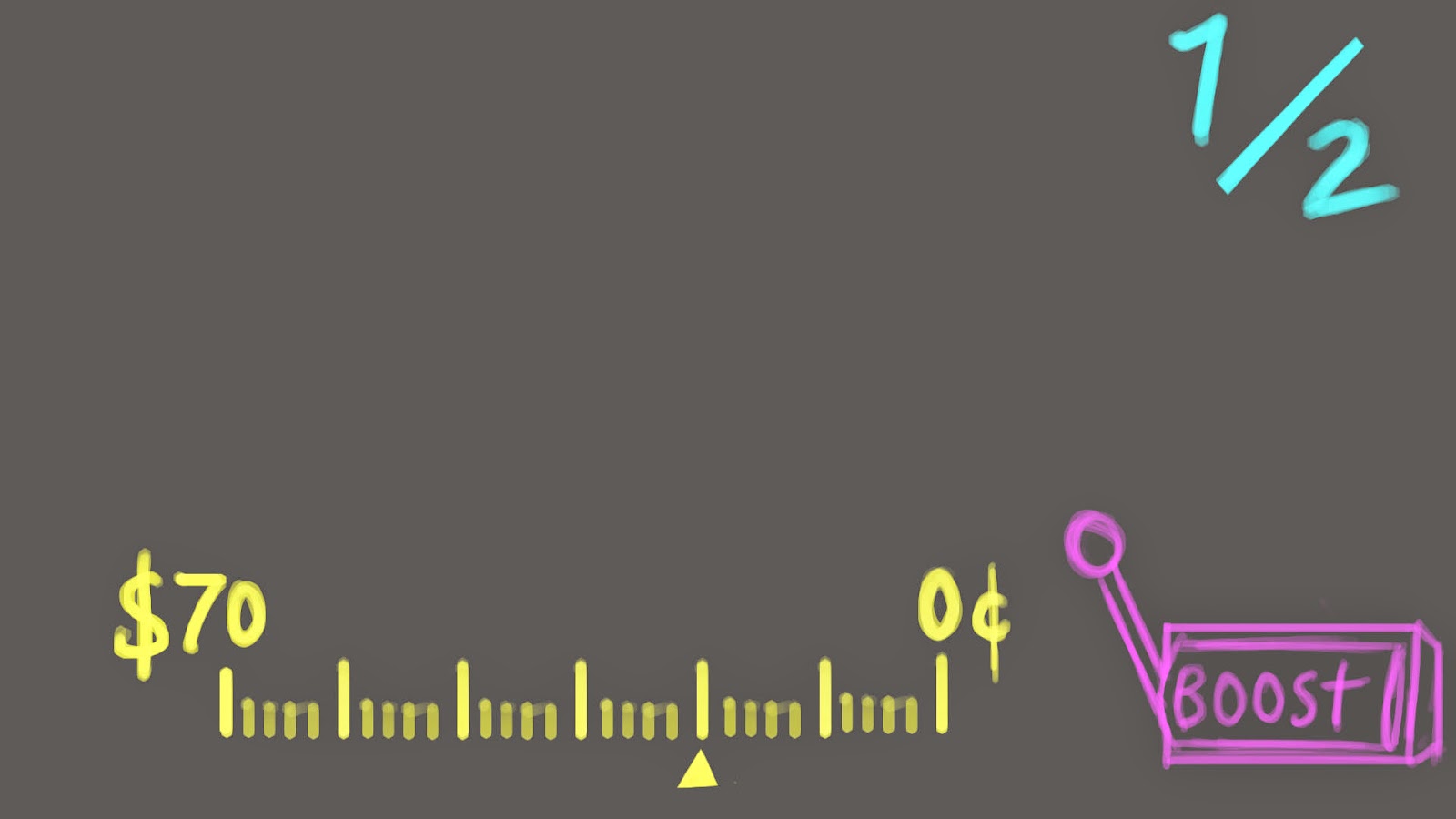
For my hud, I have the idea to keeping it to the tried-and-true HUD style, while giving it a bit of a flare, that of my own level, the Neon Casino- which I will talk of at-length in coming posts. Here is the mockup. 


Tuesday, March 25, 2014

Particle Systems

For school we have to create several particle systems within UDK. Particle Systems are a combination of animation, textures and materials to create an appealing, flashy effect, like lights or fires, without having to create some sort of complicated mesh.

My first idea for a particle system going to be a set of coins being launched into the air.


Video Research:


My idea for a second particle system is just neon-colored sparks that fly out of slightly non-functioning neon signs.